
Log Detective MCP server
For over a year now, Log Detective has provided an analysis of failed package builds in Copr.
Relatively recently, we have also integrated our service with Packit.
Now, you can use our log summarization algorithm with your own agent, using our new MCP server. Rather than relying on a remote service, the logs are all processed locally.
Installation
Installing Log Detective MCP server is as simple as pip install logdetective-mcp.
In order for your agent to have access, you need to follow relevant guidelines.
For example, adding the server to Claude Code:
claude mcp add logdetective -- logdetective-mcp
For Pi, you would first need to install appropriate MCP extension, such as pi-mcp-adapter.
Using Log Detective MCP
After installation, the tool is ready for use.
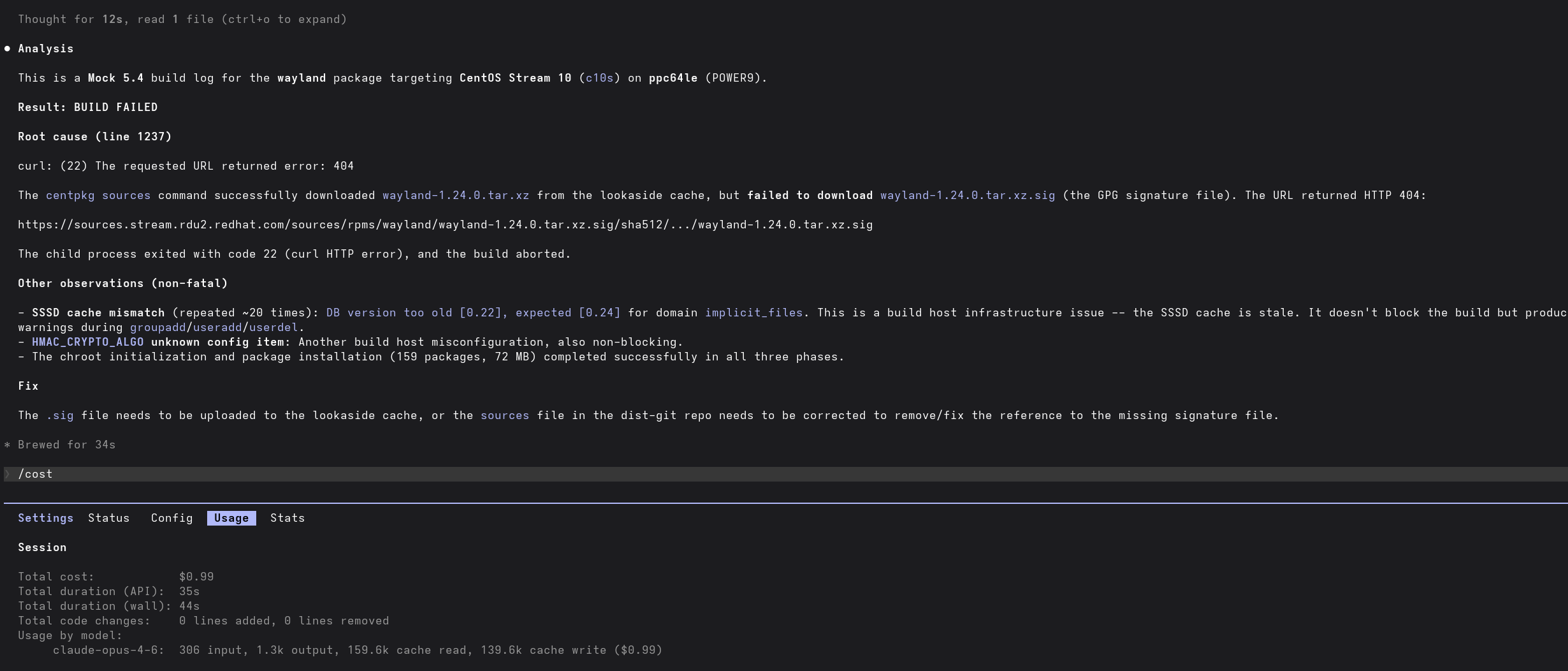
Testing with Claude Code, on a simple example of failed build from Copr, has revealed savings in the token budget, compared to the naive approach of the agent reading the log file directly.
Analysis without Log Detective MCP:
Analysis with Log Detective MCP:
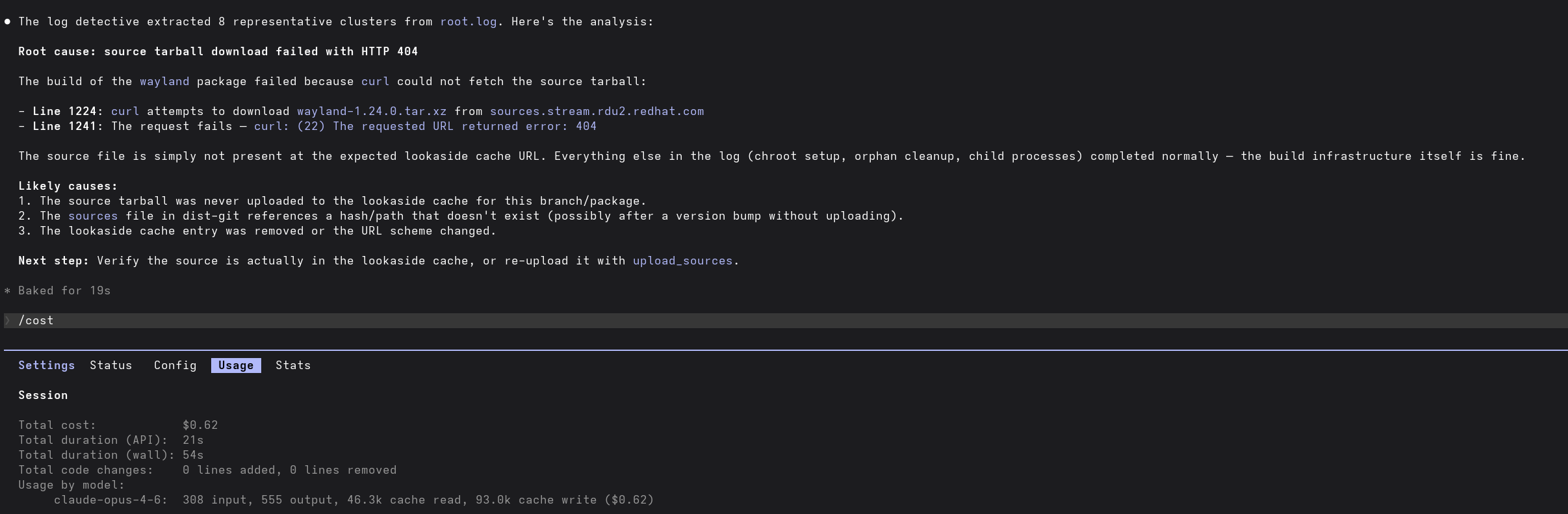
The agent response is also substantially faster.
How does the extract_log_snippets tool work
The MCP server provides a single tool, extract_log_snippets, derived
from tools used by our production agent.
Unlike our service, only general heuristics are supported at this time.
That being said, for many use cases, they are sufficient.
Just like our agent, the tool uses an updated fork of Drain3, which I have published on PyPI.org and maintain.
The extract_log_snippets tool exposes several parameters to your agent,
controlling granularity and removing irrelevant snippets.
| Parameter | Type | Default | Description |
|---|---|---|---|
max_clusters |
int |
8 | Maximum number of snippets to extract. |
max_snippet_len |
int |
2000 | Maximum character length per snippet. |
skip_patterns |
dict[str, str] |
null |
Map of names to regex patterns. Matching chunks are excluded before clustering. |
The default values were chosen to minimize impact of the tool on your token budget, while still extracting enough useful data on the first attempt in most tested scenarios.
When used in skills, it is recommended to highlight that the tool provides
more benefit when utilized with files with line count over 200.
It is also mostly useful for working with one message per line, although
the tool does have a simple heuristic for extracting multi-line messages.